Download for macOS
Free 3-day trial · Apple silicon
Recognizes 26 coding agents
ClaudeCodexCommand CodeCursorGitHub CopilotOpenCodeClineDevinKiroAiderGooseQwen CodeKimi CodeGrok BuildAntigravityKilo CodeFactory DroidMistral VibePiOh My PiHermesQoderCodeBuddyMiMo CodeZCodeGajae Code

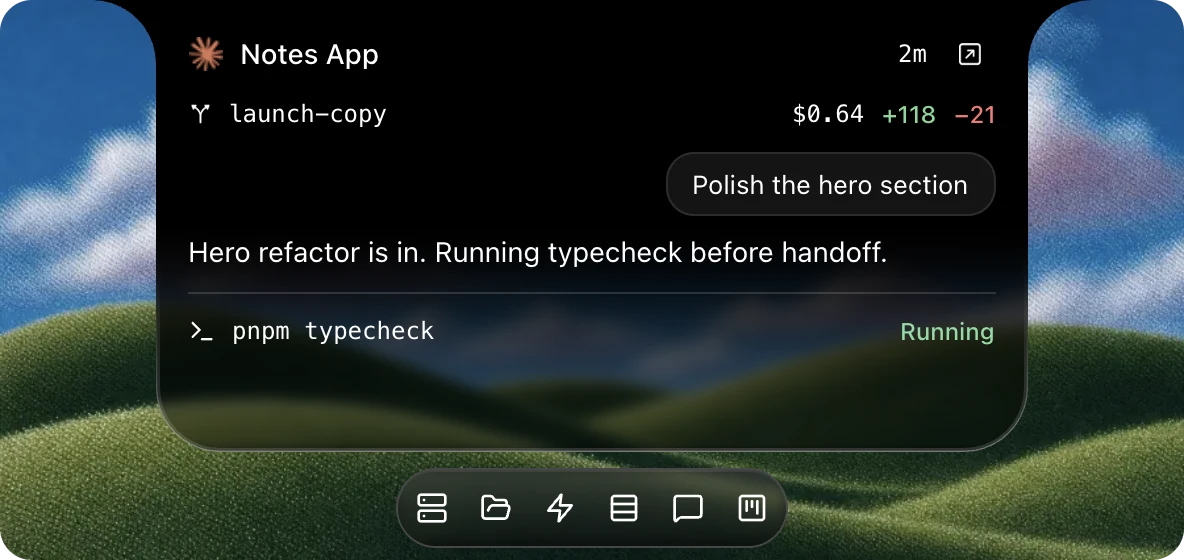
Your sessions, one glance.

Activity

View transcripts, tool calls, diffs, cost, tokens, and more.

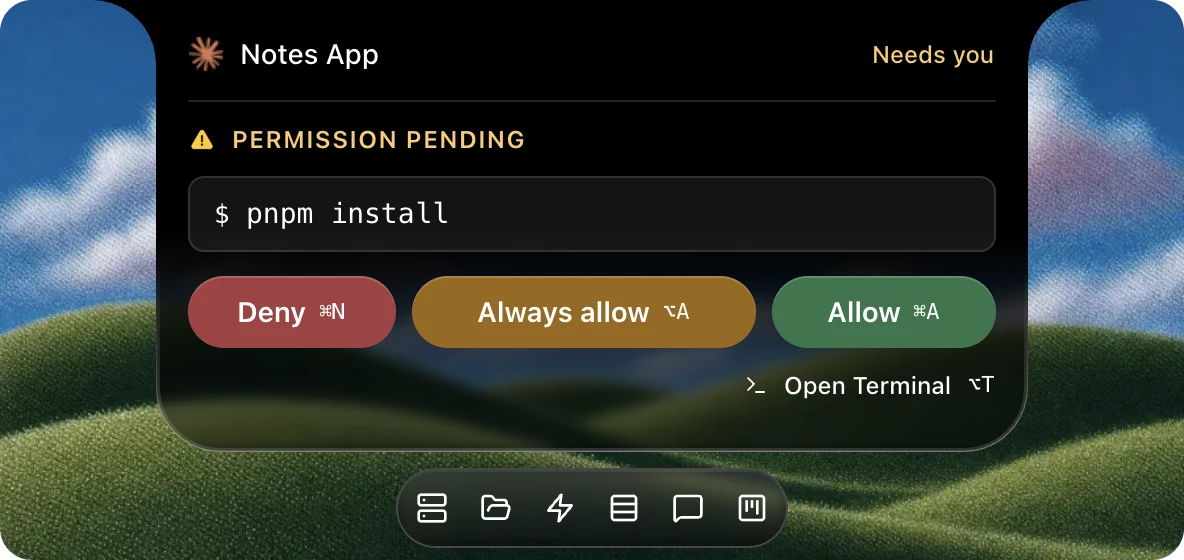
Permissions

Answer supported questions, plans, and permission prompts.

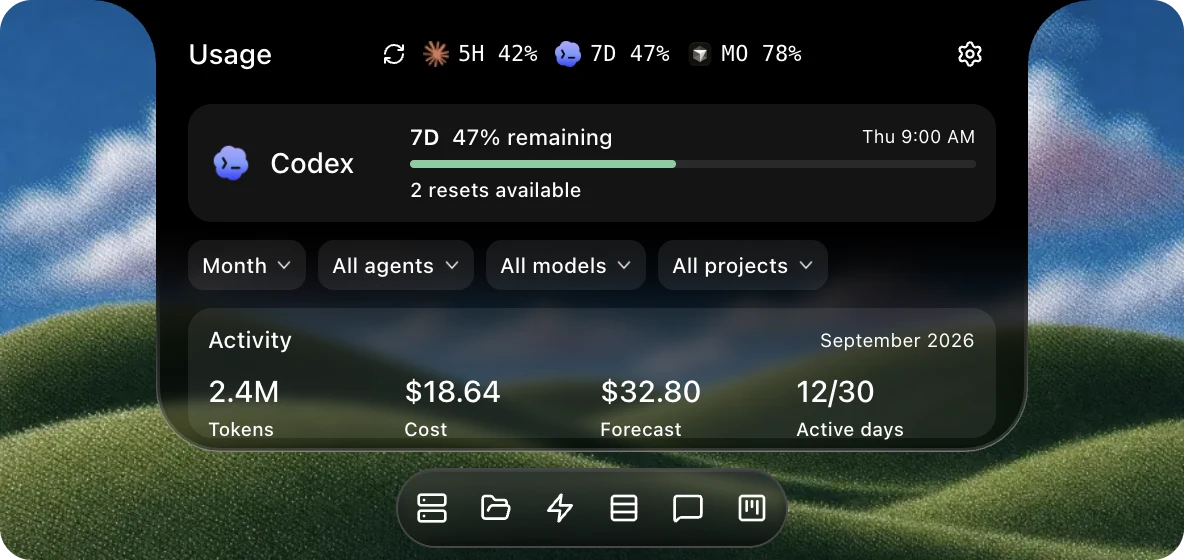
Usage

Track available limit windows, spend, and token totals.

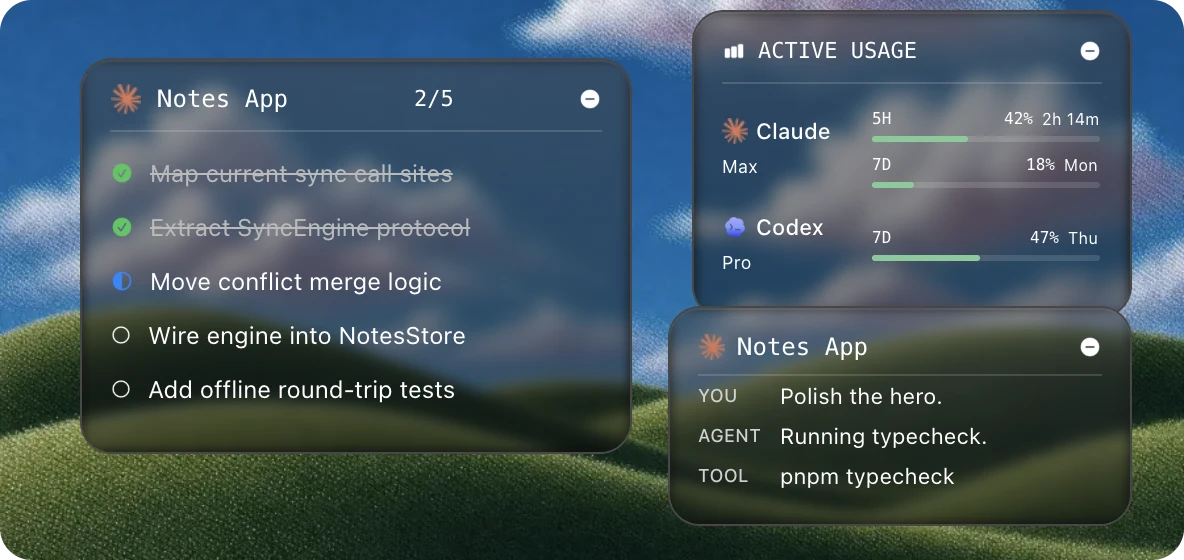
Widgets

Keep todos, usage, and transcripts in view.

Everything else, one click away.

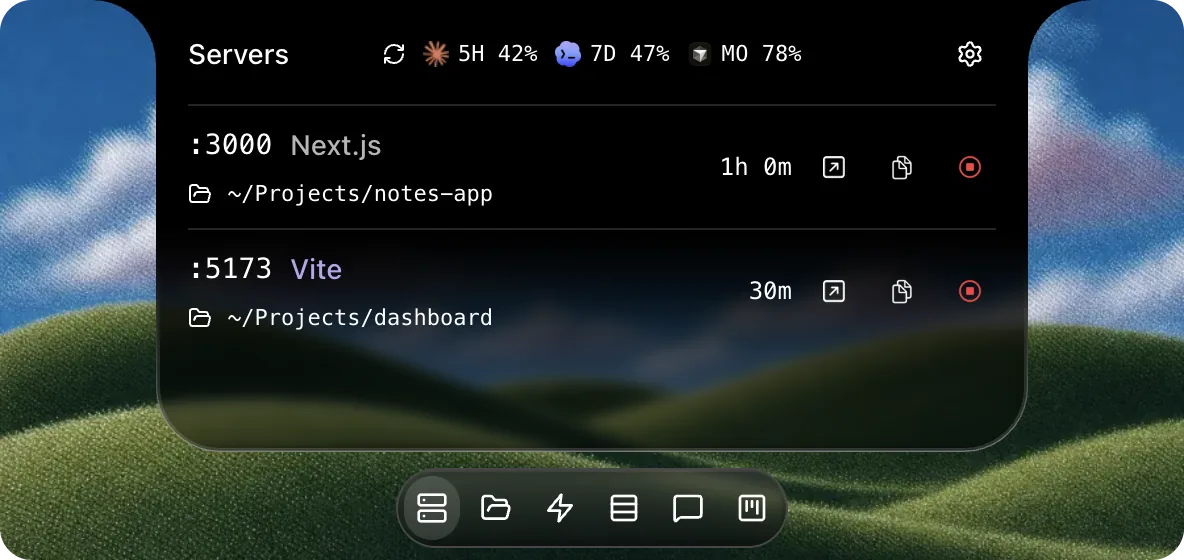
Servers

Open, copy, or stop local dev servers.

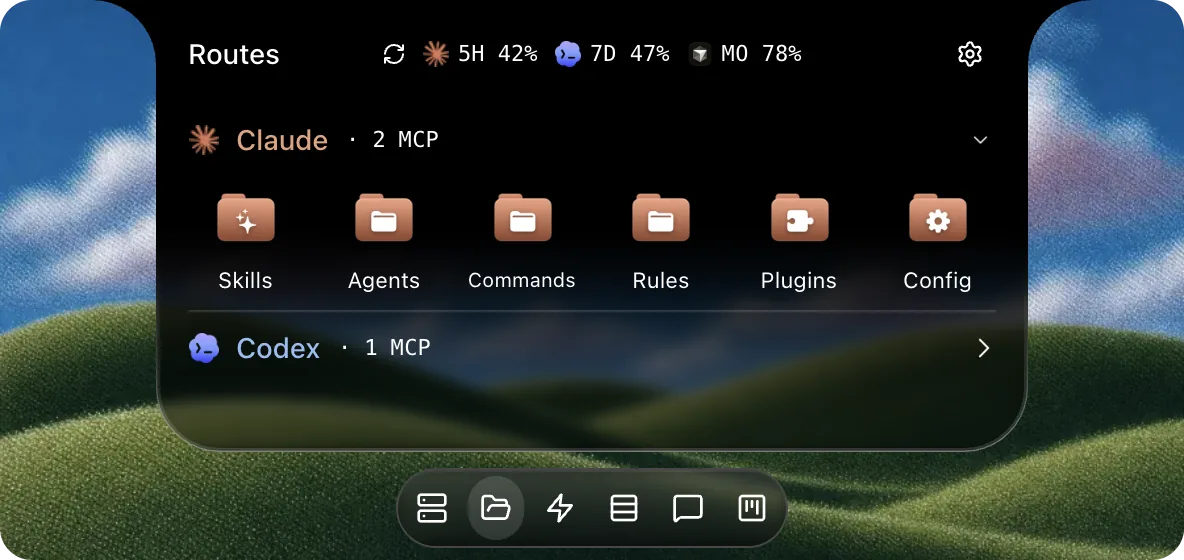
Routes

Open agent skills, plugins, config, and logs.

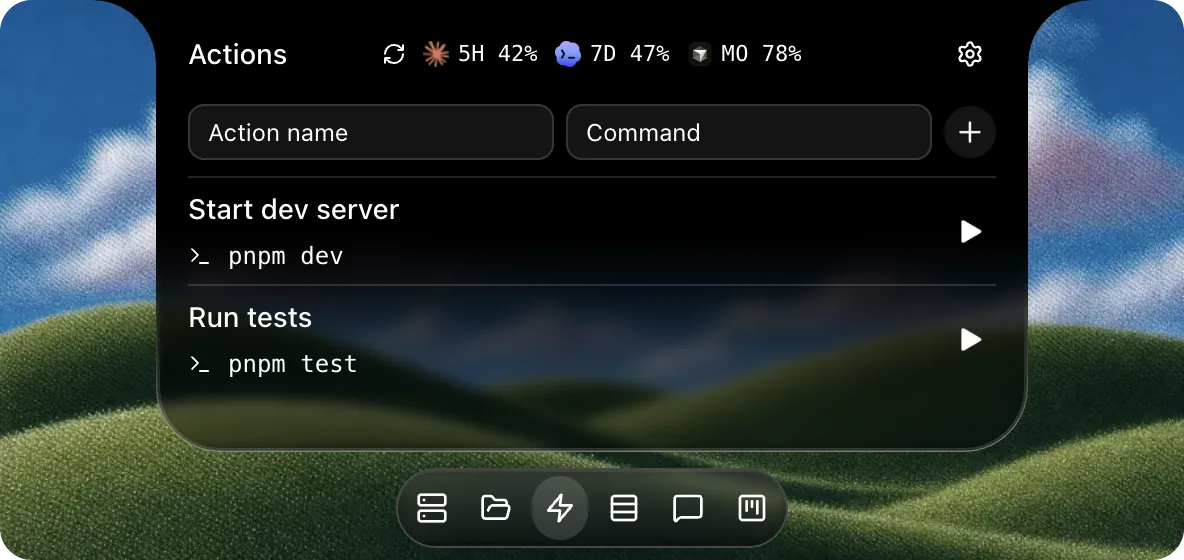
Actions

Save the shell commands you run most.

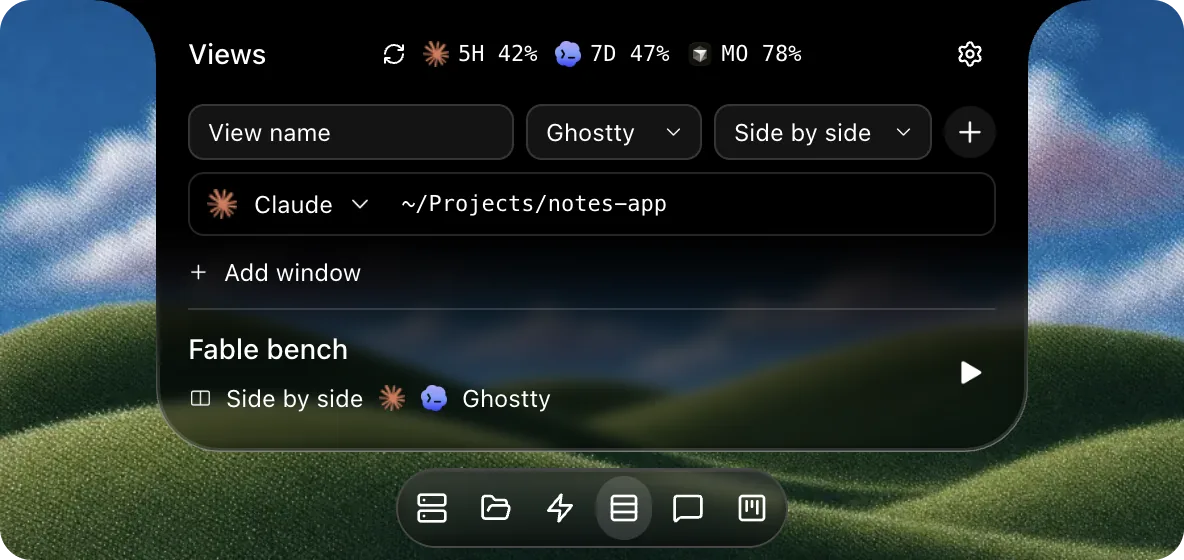
Views

Open a complete terminal workspace in one click.

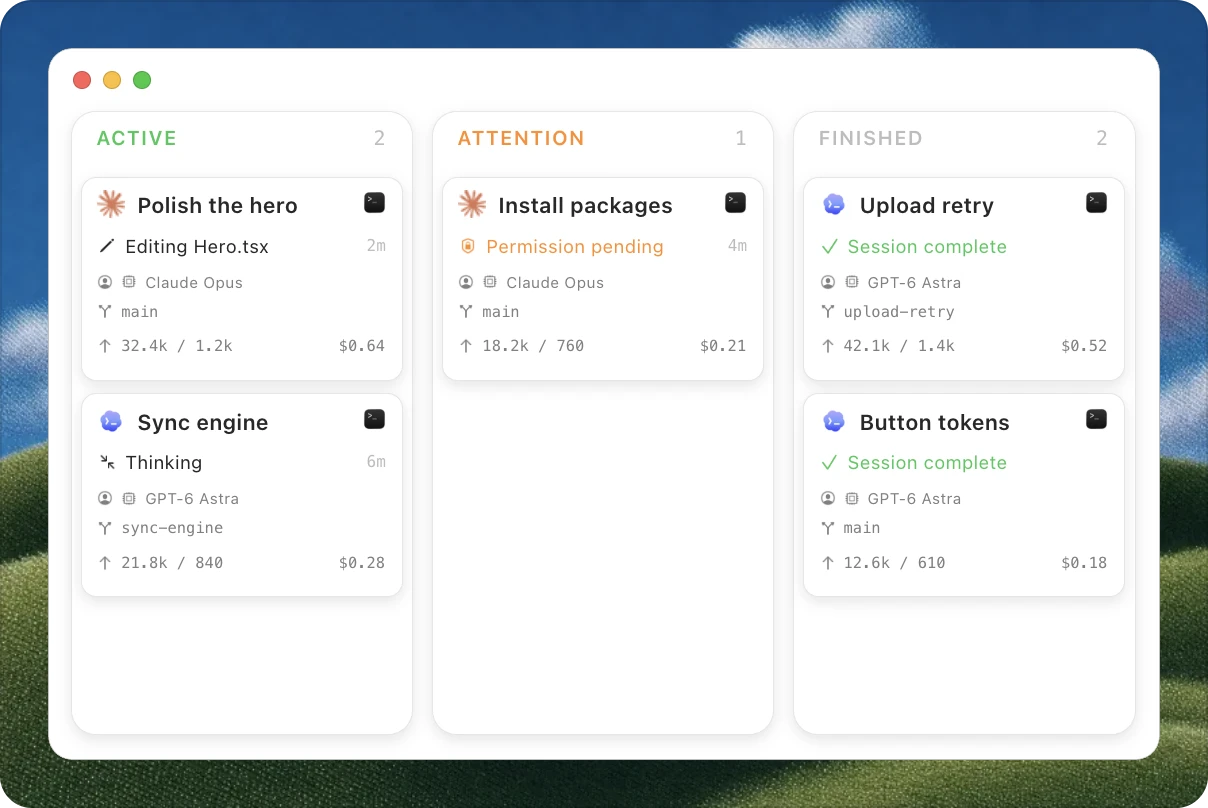
Sort sessions on a board

The board is a kanban view of every session. It groups runs by status so you can see what needs you and what is still working.

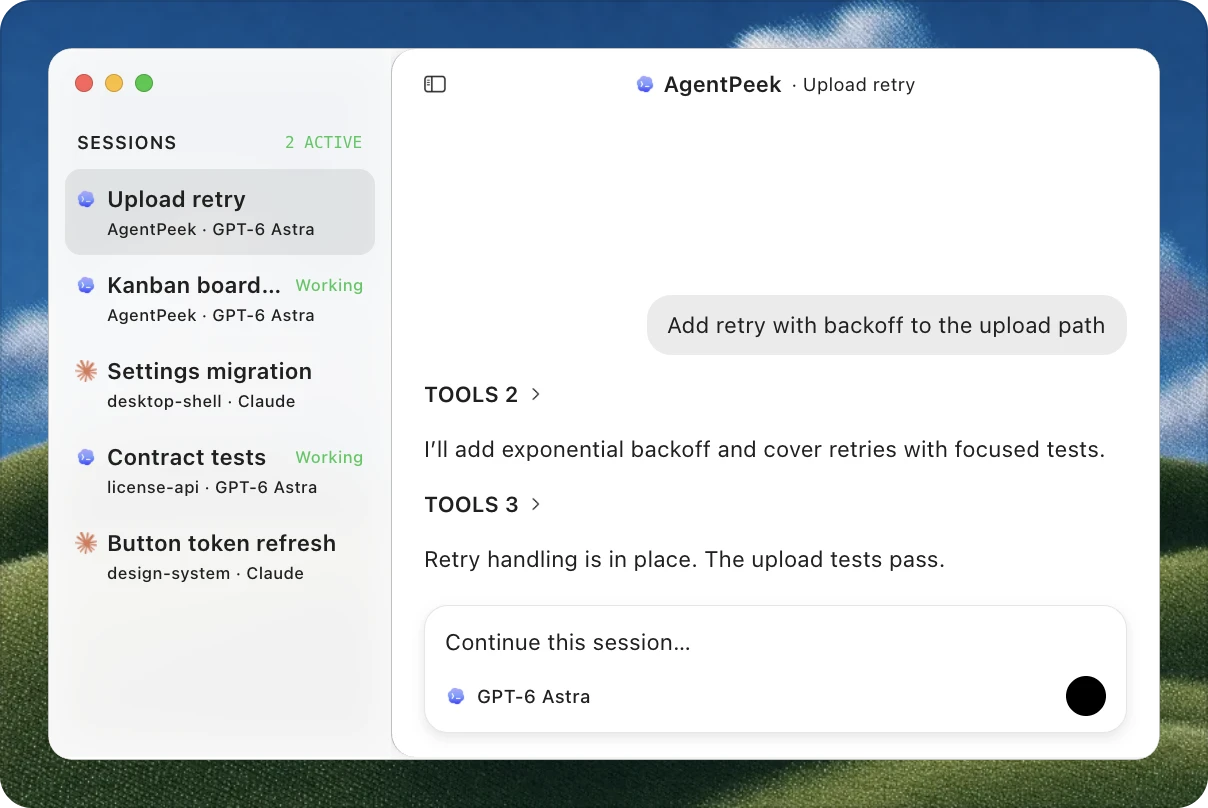
Open chat in its own window

A full chat window for any session. Open Chat from the notch menu, pick a session in the sidebar, and read the transcript or reply while your agent keeps working.

Local-first on your Mac.

No accountDownload, install, and open.No app analytics (desktop)The desktop app does not track how you work.Native SwiftBuilt for Apple silicon and macOS 14+.

AgentPeek does not upload your code, prompts, transcripts, or diffs during ordinary monitoring.

Read the privacy details

Pay once. It's yours, no subscription.

One time purchase
$19.99/once

No subscription · Start with 3 days free
Buy once for $19.99
  • All features and supported agents
  • Unlimited updates included
  • No AgentPeek account or app analytics
Try free for 3 days

Prices in USD, excl. tax where applicable; the total shows at checkout, processed by Lemon Squeezy. One free 3-day trial per Mac.

The math on building your own

Questions, answered.

AgentPeek is a native macOS app for monitoring supported coding agents from the Mac notch and menu bar. It shows live sessions, supported prompts, available usage, local dev servers, agent files, saved commands, terminal workspaces, floating widgets, and a session board. Session data stays on your Mac.
AgentPeek installs supported hooks or plugins, then reads local process and session data. Some agents remain view-only. Settings Doctor checks each integration.
Claude Code, Codex, Command Code, Cursor, Qoder, CodeBuddy, Gajae Code, Grok Build, Kimi Code, Hermes, OpenCode, MiMo Code, GitHub Copilot, Kilo Code, Factory Droid, Antigravity, Qwen Code, Pi, Oh My Pi, Goose, Kiro, Cline, Mistral Vibe, ZCode, Aider, and Devin. AgentPeek uses supported hooks, plugins, process state, and local session data. CLI agents stay in your terminal. Desktop agents stay in their apps.
As many as your Mac can run. Each session shows its project and state, plus current tool, reported usage, files, and diff counts when its source provides them. Pending prompts stack in the notch.
AgentPeek includes a free 3-day trial. A one-time license costs $19.99 for one Mac, $34.99 for two, or $49.99 for three. Updates are included for as long as AgentPeek is supported. No subscription. Tax may be added at checkout. One trial per Mac.
During ordinary monitoring, the desktop app does not upload session transcripts, diffs, prompts, or token usage. It has no AgentPeek account, product analytics, or telemetry. The public website uses Cloudflare Web Analytics; it does not run inside the app or inspect agent activity. App network requests cover license and update checks, Kimi usage, optional Cursor usage, and remote Hermes connections. Direct Chat uses the selected agent transport. License activation and deactivation send your key, machine ID, and app version; deactivation also sends the signed activation instance ID. Trial activation sends the machine ID and app version.
Usage readouts cover Claude Code, Codex, Cursor, GitHub Copilot, Kimi Code, Hermes, OpenCode, MiMo Code, Kilo Code, Antigravity, Qwen Code, Pi, Oh My Pi, Goose, Kiro, Cline, Mistral Vibe, ZCode, Devin, Command Code, and Aider when its analytics log is already configured. Claude Code and Kimi show 5-hour and 7-day windows. Codex shows its 7-day window. Cursor shows monthly account usage. Local sources show only recorded totals, cost, or daily history. Agents without readable usage data show no usage numbers.
The notch can open with the requested command, file, or diff. In-notch answers work for Claude Code, Codex, Qoder, CodeBuddy, Gajae Code Direct Chat, OpenCode, MiMo Code, GitHub Copilot, Kilo Code, Factory Droid, Antigravity, Qwen Code, Pi, Oh My Pi Direct Chat, Cline, Goose Direct Chat, Kiro Direct Chat, Mistral Vibe Direct Chat, and Devin. Always Allow appears only when supported. Ambient prompts from Cursor, Grok Build, Kimi Code, Hermes, Oh My Pi, and ZCode stay in their native agent. Devin desktop sessions are view-only.
AgentPeek can send prompts when a session has a resumable provider ID. Direct Chat supports Claude Code, Codex, Cursor, Qoder, Gajae Code, Grok Build, Kimi Code, Hermes, OpenCode, MiMo Code, GitHub Copilot, Kilo Code, Factory Droid, Antigravity, Qwen Code, Pi, Oh My Pi, Goose, Kiro, Mistral Vibe, Devin, and Command Code. For Command Code, AgentPeek checks at send time that no live process owns the saved session. Antigravity IDE and Agent Manager conversations, Cline, ZCode, Aider, and Devin desktop records remain view-only when AgentPeek cannot safely attach.
Local dev servers, agent folders, saved shell commands, terminal workspaces, floating widgets, and the Agent Board.
No. Open AgentPeek once to configure supported integrations, then keep using each agent in its normal terminal or desktop app.
Use menu bar mode on a notchless Mac or external display. The notch and menu bar can run separately or together.
Any Apple silicon Mac running macOS 14 or later.
All current features, unlimited sessions, and updates while AgentPeek is supported. One payment covers one, two, or three Apple silicon Macs. No account or subscription.

Put your agents in view.

Free 3-day trial · Apple silicon